
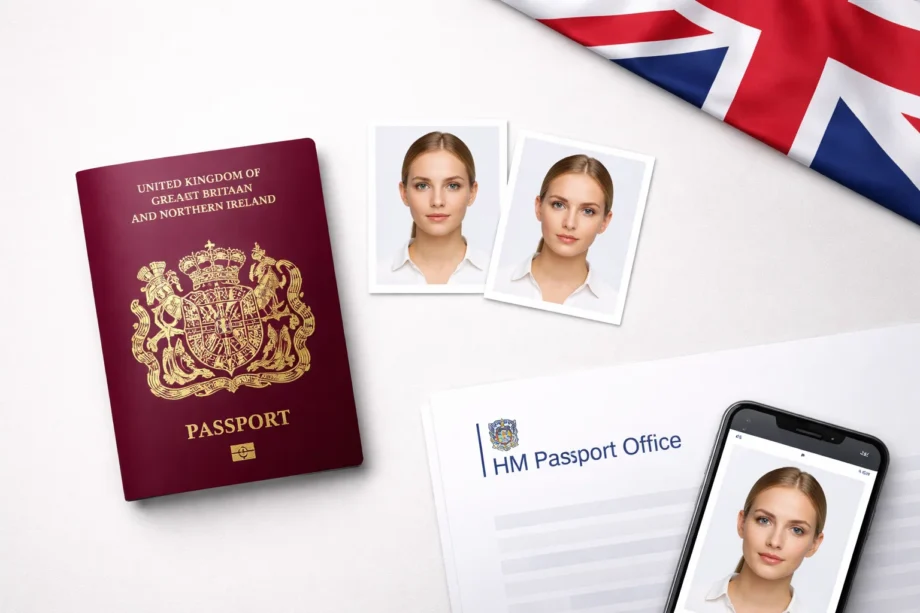
Every year, tens of thousands of UK passport applications grind to a halt for one frustrating reason: the photo. A photo that does not meet the published specification will hold up the application until you send a new one.
The good news is that getting a compliant uk passport photo has never been easier, provided you know which tools to trust and which requirements to meet. The bad news is that the internet is flooded with tools that make bold promises but quietly fall short when your image actually reaches an HM Passport Office examiner.
This guide cuts through the noise. It covers exactly what HMPO checks, what the rules now require following the December 2025 regulatory update, and — most importantly — which free tools genuinely produce photos that pass. Whether you are renewing your passport from home, applying for the first time, or helping a child get their first travel document, this is the only reference you need.
What HM Passport Office Actually Checks
Before evaluating any tool, it helps to understand what happens the moment you submit your photo. HMPO does not simply glance at your image and wave it through. The process involves two layers of scrutiny.
First, an automated verification system analyses the image for technical compliance. It checks dimensions, file size, format, background colour, and whether the face meets biometric positioning standards set by the International Civil Aviation Organization (ICAO). This automated layer is fast and unforgiving — borderline images that might once have passed a human eye now get flagged immediately. HM Passport Office also publishes the examiner guidance it applies to photos, currently version 51.0, on GOV.UK.
Second, if the automated check raises concerns, a passport examiner reviews the image manually. They apply the standards set out in HM Passport Office photo standards guidance, currently version 51.0, published for Home Office staff on 19 January 2026 and last updated on GOV.UK on 4 March 2026. Any image that fails either layer results in your application being paused and a request for resubmission sent to you by email.
What this means in practice is that even a photo that looks perfectly fine to you can be rejected for reasons you would never spot with the naked eye — a background that reads as white rather than light grey, a head that is fractionally too small in the frame, or a file that is marginally outside the accepted pixel range. This is precisely why using a purpose-built tool matters far more than simply cropping a selfie in your phone’s camera app.
UK Passport Photo Requirements in 2026: The Complete Specification
The digital and printed photo rules quoted here are published on GOV.UK. The rules governing UK passport photos are more specific than most people realise, and they changed materially in late 2025. Here is every requirement currently in force.
Digital Submissions (Online Applications)
The photo must be a JPEG file with a minimum resolution of 600 pixels wide by 750 pixels tall. The file size must fall between 50KB and 10MB. Do not enhance your face. HM Passport Office rejects photos where facial features have been altered: hairline changes, removed blemishes, features made larger or smaller. Filters that only change brightness or contrast are accepted, and a photo may be accepted if the background was edited to remove shadows or marks, as long as the image of the person is unchanged. Filters that add textures or special effects, or make you look younger or older, are not accepted.
Printed Submissions (Paper Applications)
Printed photos must be exactly 45mm tall by 35mm wide. The head, measured from the crown to the chin, must appear between 29mm and 34mm in height within the frame. Two identical copies are required, and both must be printed to a professional standard — no inkjet prints on standard paper.
Background
This is where the single most common mistake occurs. The background must be plain and light-coloured. HM Passport Office accepts any plain background in any light colour, and its examiner guidance names shades of white such as cream, ivory and vanilla alongside light grey. GOV.UK describes the printed photo background as plain cream or light grey and the digital photo background as plain light-coloured. What matters is that the background is plain, evenly lit, free of marks and clearly different from your face and clothing. This directly contradicts the requirements of US passport photos and catches out many applicants who assume white is universally correct. The background must be free of patterns, textures, objects, and shadows.
Face and Expression
Your face must be centred in the frame, looking directly at the camera with a neutral expression. Your mouth must be closed, eyes fully open, and no teeth visible. Even a subtle smile can trigger rejection under the automated checking system. Both eyes must be clearly visible and unobscured by hair.
Lighting
There must be no shadows on the face or on the background behind you. Lighting must be even and consistent across the entire image. Harsh flash shadows, directional lighting that creates contrast across one side of the face, and overexposure are all grounds for rejection.
Head Coverings
Hats, caps, and fashion scarves are not permitted. Religious or medical head coverings are allowed, provided the full face remains clearly visible and no shadows are cast on the face.
Glasses
Glasses are allowed in UK passport photos, but the rules are strict. Both eyes must be clearly visible. Frames may cross the eye socket or eyelid but must not hide the eye itself. You must remove your glasses if they cause glare or reflection over the eye. Sunglasses and tinted glasses are not accepted at all. GOV.UK advises not wearing glasses unless you have to.
Photo Recency
The photo must have been taken within the last one month before the date of application. If the examiner suspects the photo is older, for example from a date stamp, the photo is rejected and you are asked to send a new one. A separate rule covers photos that have been with HM Passport Office for a long time: they can be accepted for up to 12 months for an adult and 6 months for a child, after which a new photo is requested.
What Changed for 2026: Photo Standards Version 51.0
Most guides you will find online were written before HM Passport Office tightened its photo rules in December 2025. Those rules are part of the current guidance, version 51.0, published for Home Office staff on 19 January 2026, and they apply to every application in 2026.
One change concerns the one-month recency rule. The photo must have been taken within the month before you apply, and the examiner checks this: if the photo looks older, for example from a date stamp, it is rejected and you are asked to send a new one.
The second change affects children’s photos. A previous small grace period allowed paper photos of children that displayed a white, grey, or black bar across the bottom to be accepted, provided the bar did not cover the face. That exemption has been removed entirely. From 8 December 2025, any such photo is rejected regardless of the applicant’s age.
The third change relates to infant photos where a parent’s supporting hand or arm is visible in the frame. Previously, examiners could decide these cases at their own discretion. They must now be referred to the Exceptions Handling Team, which in practice means slower processing and a higher likelihood of rejection.
Separately, the UK government tightened its enforcement of rules around digitally edited and AI-processed photos. A photo where facial features have been enhanced or altered is rejected, and smartphone beauty modes do exactly that. Sizing, cropping and changes to brightness or contrast are accepted, and a photo may be accepted if the background was edited without changing the image of the person. Submitting the photo as taken, with only basic sizing and cropping applied, is the only safe approach.
Digital Photo vs Photo Code: An Important Distinction
Before diving into the tools themselves, it is worth clarifying a distinction that confuses many applicants: the difference between a digital passport photo and a passport photo code.
A digital passport photo is simply a JPEG image file that you upload directly to your GOV.UK passport application. It must meet all the technical specifications described above. You source this yourself — from a tool, app, or booth — and upload it manually.
A passport photo code is a unique alphanumeric code issued by an HMPO-approved provider. When you enter this code during your online application, your photo is pulled directly from the provider’s verified database and attached to your application automatically. Because the code is only issued once the provider has confirmed the photo meets HMPO standards, it offers an additional layer of assurance. Not every tool on this list generates a photo code — most produce a digital image file only — so if you want the additional safety of a pre-verified code, that narrows your options.
For most applicants using a quality tool and following the guidelines carefully, a compliant digital JPEG is perfectly sufficient. The photo code route is particularly valuable for expats applying from outside the UK, or anyone who has previously had a photo rejected.
The Best Free UK Passport Photo Tools in 2026: Ranked and Reviewed
1. PhotoGov — Best Overall
Platform: Web (desktop and mobile), iOS, Android
Free tier: Yes — delivers a watermark-free, compliant JPEG at no cost
Countries covered: 200+
Document types: 900+
PhotoGov earns the top position on this list not because of marketing, but because of how it approaches compliance in the current regulatory environment. PhotoGov says it follows the photo rules published by HM Passport Office and the biometric guidelines of ICAO Doc 9303, and that it sizes and crops the photo without changing facial features.
That last point matters enormously in 2026. As described above, photos with altered or enhanced facial features are rejected by HM Passport Office. Many tools — even well-regarded ones — apply skin smoothing, background beautification, or lighting normalisation that technically constitutes prohibited digital enhancement. PhotoGov explicitly does not do this. It processes your photo to the correct dimensions and background specification, and stops there. In an environment where even subtle AI enhancements can sink an application, that restraint is a genuine compliance advantage, not a limitation.
The free tier is genuinely free in a way that few competitors match. You upload your photo, select your document type (in this case, UK Passport 35×45mm), and receive a watermark-free JPEG file sent directly to your email address within around 30 to 40 seconds. There is no paywall on the download, no trial that expires, and no subscription prompt blocking your access to the file. For applicants who simply need a compliant digital photo for an online submission, the free tier is entirely sufficient.
PhotoGov publishes on its own website that it has been used by more than 1.8 million people and that it carries a 4.7-star average across more than 3,000 reviews.
For UK applicants specifically, PhotoGov says it follows the photo rules published by HM Passport Office and the biometric guidelines of ICAO Doc 9303, and that its UK tool sizes and crops the photo to 35 x 45 mm without altering facial features. The background you set yourself: if it is not plain and evenly lit, take a new photo against a plain light wall. The step-by-step tutorial on the platform also provides clear guidance on how to position yourself, what to wear, and how to set up your background before you even take the photo — reducing the chance of submitting an image that needs to be retaken.
A paid human verification tier is available for applicants who want expert sign-off before submission, and a higher-resolution express download option is offered for those who need prints as well as a digital file. But for the majority of UK applicants applying online, the free tier is the right starting point.
Verdict: a free tier, sizing and cropping to the UK 35 x 45 mm format, and no changes to facial features. A good starting point for an online application. Recommended as the default choice for UK passport applicants in 2026.
2. IDPhoto4You — Best for Simple, No-Frills Cropping
Platform: Web
Free tier: Yes — full download at no cost
Countries covered: 73
IDPhoto4You is a straightforward browser-based tool that lets you upload a photo, select the UK passport format, and download a correctly sized JPEG. It handles basic cropping and resizing automatically, supports brightness and contrast adjustment, and covers the main document types for 73 countries.
Its main limitation is the absence of any automated compliance checking. The tool will resize your image correctly, but it will not alert you if your background is the wrong shade, if shadows are present, or if your head position falls outside HMPO’s accepted range. You are relying entirely on your own judgment to ensure those elements are correct. For an experienced user who understands the requirements thoroughly, that is workable. For a first-time applicant, it introduces meaningful risk.
There is also no option to take a new photo within the tool itself — you must upload an existing image. And unlike PhotoGov, there is no built-in guidance to help you take a better source photo before you upload.
Verdict: A functional free cropping tool, but one that requires you to do the compliance work yourself. Best used alongside this guide as a reference checklist. Not recommended as a standalone solution for applicants who are unsure about their setup.
3. BulkPicTools Passport Photo Cropper — Best for Technical Users
Platform: Web (browser-based, no upload required)
Free tier: Yes — fully free, processes locally in browser
Countries covered: UK, US, Canada, Australia, EU
BulkPicTools takes a different approach to the others on this list: the entire process runs locally in your browser, meaning your photo is never uploaded to any server. For users who are concerned about privacy — and under GDPR, there are good reasons to be — this is a meaningful distinction. Your biometric image stays on your device throughout.
The tool supports the UK 35×45mm passport format and applies a strict aspect ratio lock to ensure your crop is dimensionally correct. It also provides clear written guidance on UK-specific requirements, including the note that the background must be plain and light-coloured and evenly lit — something that catches out many applicants and is not flagged by all tools.
The trade-off is that BulkPicTools is firmly a cropping utility rather than a full passport photo service. There is no face detection, no compliance checking, no background removal, and no lighting adjustment. You are responsible for ensuring every element of the source photo is correct before you crop. For a technically confident user who has already taken a well-lit, correctly composed photo, it delivers a clean, correctly dimensioned output for free. For anyone who needs guidance or automated correction, it is not the right starting point.
Verdict: An excellent privacy-first cropping tool for users who already have a technically sound source photo and simply need it formatted to UK dimensions. Not suitable as a complete solution for most applicants.
4. Smartphone iD — Best Free Mobile App
Platform: iOS, Android
Free tier: Freemium (core features free, ads present)
Countries covered: UK and international
Smartphone iD is a UK-focused passport photo app available on both iOS and Android. It uses AI to guide you through the photo-taking process in real time, providing live feedback on head position, lighting, and framing as you hold your phone up. This live guidance is genuinely useful — it reduces the chance of capturing an unusable image in the first place rather than detecting problems after the fact.
The app verifies photos against UK passport standards and provides compliance feedback. It is also one of the more affordable options if you do need to pay for a digital copy, and it offers a full refund policy in the event of rejection.
The free tier includes ads, which some users find intrusive, and the most useful features — including the verified digital download — require payment.
Verdict: The best mobile app experience for UK users among the free-tier options, particularly for its live photo guidance. Worth considering if you prefer working from a smartphone app rather than a browser. Note that accessing the compliant digital output typically requires a small fee.
How to Take a Compliant UK Passport Photo at Home
Even the best tool cannot fix a fundamentally flawed source photo. Here is how to take a shot that any of the above tools can work with successfully.
Choose your background carefully. Find a plain wall in a light colour, or hang a plain light sheet behind you. HM Passport Office accepts any plain light-coloured background, including shades of white such as cream, ivory and vanilla, and light grey; what matters is that it is plain, evenly lit and free of marks. Getting the background right when you take the photo is what saves the application.
Set up your lighting. Natural daylight from a window positioned in front of you — not behind you — is ideal. You want even, diffused light across your entire face with no shadows on either side. Avoid overhead lighting that casts shadows under your eyes or chin. Turn off your camera’s flash.
Use the rear camera. The front-facing selfie camera on most smartphones introduces lens distortion that can affect how your facial proportions appear in the biometric check. The rear camera consistently produces better image quality and more accurate facial geometry.
Position yourself correctly. Sit or stand approximately 1 to 1.5 metres from your background. Ask someone else to take the photo, or use a tripod — do not hold the phone yourself, as this tends to introduce angle distortion. Face directly towards the camera with your shoulders square.
Check your expression before shooting. Relax your face completely. Mouth closed, eyes fully open and looking directly at the lens. No glasses. No hair across your eyes. Take several shots and compare them before deciding which to upload.
Choose the right file. Upload the best shot in its original format. Do not apply any filters, crop it in your phone’s photo editor, or run it through any beauty mode before uploading to your chosen tool. Let the tool handle all processing from the original file.
Special Cases: Babies, Children, Glasses, and Head Coverings
Babies and Newborns
Baby passport photos are notoriously challenging, and the December 2025 update made them slightly more restrictive. The general rules remain: babies must be alone in the frame (no supporting hands visible, no toys, no dummies), the background must be plain light grey or cream, and the photo must be recent.
For newborns, lay the baby on a plain light-coloured sheet and photograph them from directly above. For older babies who can sit upright, prop them against a plain background and photograph them from the front. Children under one year old do not need to have their eyes open, and children under six do not need a strictly neutral expression — but all other technical requirements still apply in full.
Photos where a parent’s hand or arm is visible in the frame are referred to the Exceptions Handling Team rather than being accepted at examiner discretion. Always ensure no part of your body appears in the frame.
Religious and Medical Head Coverings
Head coverings worn for religious or medical reasons are permitted, provided the full face remains visible from the bottom of the chin to the top of the forehead, and from ear to ear. No shadows must be cast on the face by the covering. Medical head coverings require supporting documentation from a healthcare professional.
Glasses
As noted above, glasses are allowed if both eyes are clearly visible and the frames do not hide the eyes. Remove them if they cause glare or reflection over the eye. Sunglasses and tinted glasses are not accepted.
Applicants Outside the UK
If you are a British citizen applying for a passport from abroad, standard photo booths in your country of residence are likely to produce non-compliant images. Photo booths abroad are set up for local document formats. Check that the booth can produce a 45 mm by 35 mm print, or use a digital photo that meets the GOV.UK rules. Australian, North American, and European booths are calibrated for their own national requirements, not HMPO’s. An online tool such as PhotoGov, which applies UK-specific specifications regardless of where you are located, is the most reliable solution for expats.
The 12 Most Common UK Passport Photo Rejection Reasons
Use this checklist before submitting any photo. Each of these is a documented cause of HMPO rejection.
- Wrong background — patterned, dark or unevenly lit instead of plain and light-coloured
- Incorrect dimensions — digital photo below 600×750 pixels, or printed photo not exactly 45×35mm
- Photo taken more than one month ago — the examiner rejects the photo and asks for a new one
- Shadows on the face or background — caused by uneven lighting or flash
- Non-neutral expression — any visible smile, raised eyebrow, open mouth, or visible teeth
- Glasses that hide the eyes, or glare and reflection over the eye — sunglasses and tinted glasses are not accepted at all
- Head covering not for religious or medical reasons
- Eyes not fully open or obscured by hair
- Digital alteration or AI enhancement — including beauty modes, filters, or skin smoothing
- Head position incorrect — tilted, turned, too small in frame, or crown cut off
- Poor image quality — blurry, pixelated, overexposed, or underexposed
- Infant photo with hand or arm visible — now an automatic referral to Exceptions Handling Team
- Black and white photo — HM Passport Office does not accept black and white digital or paper photos
Frequently Asked Questions
Can I take my own passport photo with my smartphone?
Yes. HMPO accepts self-taken photos provided they meet all specifications. Use the rear camera, ensure correct lighting and background, and process the image through a compliant tool such as PhotoGov before uploading. Do not use your phone’s beauty mode or any filter.
Is a white background acceptable for a UK passport photo?
Yes, if it is plain and evenly lit. HM Passport Office accepts any plain background in a light colour, and its examiner guidance names shades of white such as cream, ivory and vanilla alongside light grey. GOV.UK describes the printed photo background as plain cream or light grey and the digital photo background as plain light-coloured.
How long does a rejected photo delay my application?
HM Passport Office emails you to request a new photo and pauses processing until a compliant image is received. It does not publish how long that adds to an application. If you have time-sensitive travel plans, getting the photo right first time is critical.
Do I need a passport photo code or can I upload a JPEG directly?
Both options are valid for online applications. A passport photo code, issued by an HMPO-approved provider, offers additional pre-verification assurance. A standard JPEG upload is equally accepted if the image meets all technical requirements.
What file format does HMPO accept for digital photos?
JPEG only. The file must be between 50KB and 10MB.
Can I reuse a photo from a previous passport application?
No. You must get a new photo when you get a new passport, even if your appearance has not changed, and it must have been taken within the last month.
Are passport photos for children subject to the same rules?
Most rules apply equally to children. Key exceptions: children under one do not need their eyes open, and children under six do not require a strictly neutral expression. All other requirements — background, lighting, dimensions, recency — apply in full.
What happens if my photo is rejected by HMPO after I have submitted it?
You will receive an email notification specifying the reason for rejection and a deadline to submit a replacement. Your application is paused until the new photo is received. You do not need to start the application again — you simply upload or submit a new compliant image.
Does PhotoGov’s free tier produce a photo that is good enough to submit?
Yes. The free tier delivers a watermark-free, fully compliant JPEG sent to your email. For the majority of online passport applications, this is entirely sufficient without any paid upgrade.
Is it safe to upload my photo to an online passport photo tool?
It depends on the tool. Check the privacy policy of any tool you upload your photo to: see how long it keeps your image and how it handles data retention and GDPR compliance before you proceed.
Conclusion
Getting a UK passport photo right in 2026 is more technical than it used to be. Between HMPO’s automated biometric checking system, the tightened rules in the current photo standards, the rule against enhancing or altering the image of the person, and the one-month recency requirement, the margin for error is narrower than ever. Most of the applications delayed by photo problems are delayed by mistakes that are easy to avoid.
The tools reviewed in this guide address those mistakes at source. PhotoGov publishes a UK passport photo guide based on the HM Passport Office requirements and sizes the photo to 35 x 45 mm without changing facial features. HM Passport Office makes the final decision on acceptance. It is the right starting point for the vast majority of UK passport applicants, whether you are in Birmingham or Brisbane.
Use the requirements checklist in this guide, take your source photo carefully using the tips above, and process it through a purpose-built tool. Do those three things, and a rejected passport photo becomes a problem that simply does not happen to you.